Streaky Drop Procreate Lettering Brush: The One-Stroke Shadow Solution
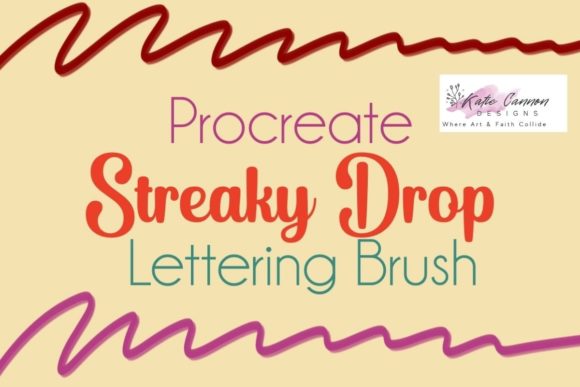
Digital lettering is a beautiful art form, but anyone who has spent hours manually painting drop shadows knows the fatigue that sets in. You finish the perfect curve of a script letter, only to realize you now need to duplicate that layer, offset it, lower the opacity, and blur it just enough to look natural. It is a repetitive process that can kill creative momentum. This is where the Streaky Drop Procreate Lettering Brush changes the workflow entirely. It is not just another texture pack; it is a specialized tool designed to add depth and dimension with a single swipe.
This listing provides one specific Procreate brush file. To use it, you must have the ability to unzip files on your iPad and import them into the Procreate app. Once loaded, this handmade lettering brush works seamlessly on most iPad Pro versions, offering a streamlined way to enhance typography without the technical headache.
Why Manual Shadows Are Killing Your Workflow
In traditional graphic design software, drop shadows are often automated effects. In Procreate, however, the tactile nature of drawing means many artists prefer hand-drawn elements for a more organic feel. The problem arises when you try to balance speed with quality. Manually drawing a shadow requires a steady hand and an understanding of light sources. If you are working on a client deadline or creating content for social media where consistency is key, spending twenty minutes on shadows for a single word is inefficient.
The Streaky Drop Procreate Lettering Brush solves this by embedding the shadow logic into the brush stroke itself. When you draw your letter, the shadow appears simultaneously. This ensures that the distance between the letter and its shadow remains consistent, creating a cohesive look that is difficult to achieve when drawing them separately. For professionals who bill by the project rather than the hour, this efficiency translates directly to better profit margins and less burnout.
Real-World Applications for Different Creators
The versatility of this brush extends beyond simple hobbyist doodles. Various industries and creative roles can leverage this tool to elevate their output.
- Social Media Managers and Influencers: In the fast-paced world of Instagram stories and TikTok covers, readability is paramount. Text often competes with busy backgrounds. Using the Streaky Drop brush allows creators to add instant contrast, making their quotes and announcements pop off the screen without needing to open Photoshop or Canva.
- Wedding and Event Stationers: Digital invitations are increasingly popular. Couples want the elegance of hand-lettering with the convenience of digital delivery. This brush helps stationers create layered, dimensional looks for names and dates quickly, allowing them to take on more commissions during peak wedding seasons.
- Educational Content Creators: Teachers and coaches who create digital worksheets or presentation slides often need clear, bold headers. The drop shadow effect improves legibility, especially when text is placed over images or colored blocks. It adds a professional polish that makes educational materials look more engaging and less like plain text documents.
- Merchandise Designers: For those selling stickers, t-shirts, or mugs via print-on-demand services, clean vector-like aesthetics are often preferred. While this is a raster brush, the clean edges provided by the Streaky Drop tool can mimic the crispness needed for merchandise mockups, helping sellers visualize their final product faster.
Understanding the "Streaky" Aesthetic
The name "Streaky Drop" is intentional. Unlike a uniform, computer-generated shadow that can look flat and artificial, this brush introduces subtle variations in opacity and texture. This "streakiness" mimics the behavior of real ink or paint where the medium might run thin in certain areas. It adds character and warmth to the lettering.
For users aiming for a vintage, retro, or handcrafted vibe, this texture is invaluable. It prevents the digital art from looking too sterile. However, it is important to note that this aesthetic choice may not suit every project. If you are designing for a ultra-modern, minimalist tech brand that requires razor-sharp, uniform geometry, a standard hard-edge shadow might be more appropriate. But for lifestyle brands, personal blogs, and artistic projects, the organic feel of the Streaky Drop Procreate Lettering Brush adds a human touch that resonates with audiences.
Technical Considerations and Setup
Before purchasing or downloading, it is crucial to understand the technical requirements. This is a digital product, meaning there is no physical item shipped. You will receive a file that needs to be unzipped. Many iPad users are familiar with the Files app, but if you are new to managing downloads on iOS, ensure you know how to locate your downloaded ZIP file, tap it to extract the contents, and then share the resulting .brushset or .brush file to Procreate.
Compatibility is generally broad across iPad Pro models, but performance can vary based on the age of your device and the complexity of your canvas. Because this brush calculates both the primary stroke and the shadow simultaneously, it may require slightly more processing power than a basic round brush. On newer iPad Pros with M-series chips, this is negligible. On older models, you might notice a slight delay if your canvas resolution is extremely high or if you have hundreds of layers active. It is always good practice to keep your layer count manageable when using complex brushes.
Tips for Best Results
To get the most out of this tool, consider the color relationship between your main lettering and the shadow. While the brush handles the shape, you still control the palette. A common mistake is using pure black for shadows. Instead, try picking a darker shade of your main letter color or a complementary dark tone. This creates a richer, more integrated look.
Additionally, experiment with the size of the brush relative to your canvas. Since the shadow offset is built into the brush dynamics, scaling the brush up or down will change the perceived distance of the shadow. Test different sizes to find the sweet spot where the shadow feels grounded but not overwhelming.
Is This Brush Right for You?
If you find yourself dreading the shadowing phase of your lettering process, or if you feel your digital text lacks depth, this brush is a practical solution. It is not a magic fix for poor lettering structure—your foundational skills still matter—but it is a powerful accelerator for finishing touches. It bridges the gap between amateur experimentation and professional efficiency.
Remember, this is a single brush focused on a specific task. It does not replace a full library of textures or markers. However, for the specific purpose of adding quick, stylish drop shadows to hand-lettered words, it excels. By reducing the number of steps required to achieve a polished look, it frees you to focus on what truly matters: the creativity and message behind your words.
Whether you are drafting a quick quote for a client, designing a personalized gift, or building a portfolio of typographic art, the Streaky Drop Procreate Lettering Brush offers a reliable, efficient way to add that final layer of professionalism. Just ensure your iPad is ready to handle the file import, and you will be ready to create with greater speed and confidence.